
INNOVEO Experience: run security across all your sites remotely, from a single screen
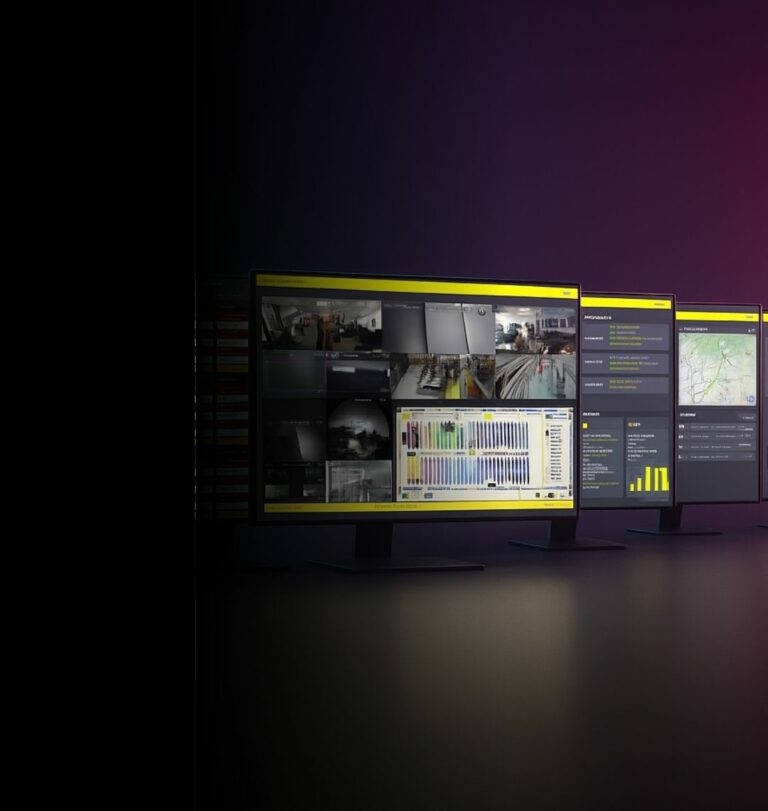
The remote application of the INNOVEO platform. Your stores, warehouses and offices brought together in one interface, on desktop, mobile or tablet — to see what is happening, decide and act without travelling.
What is INNOVEO Experience?
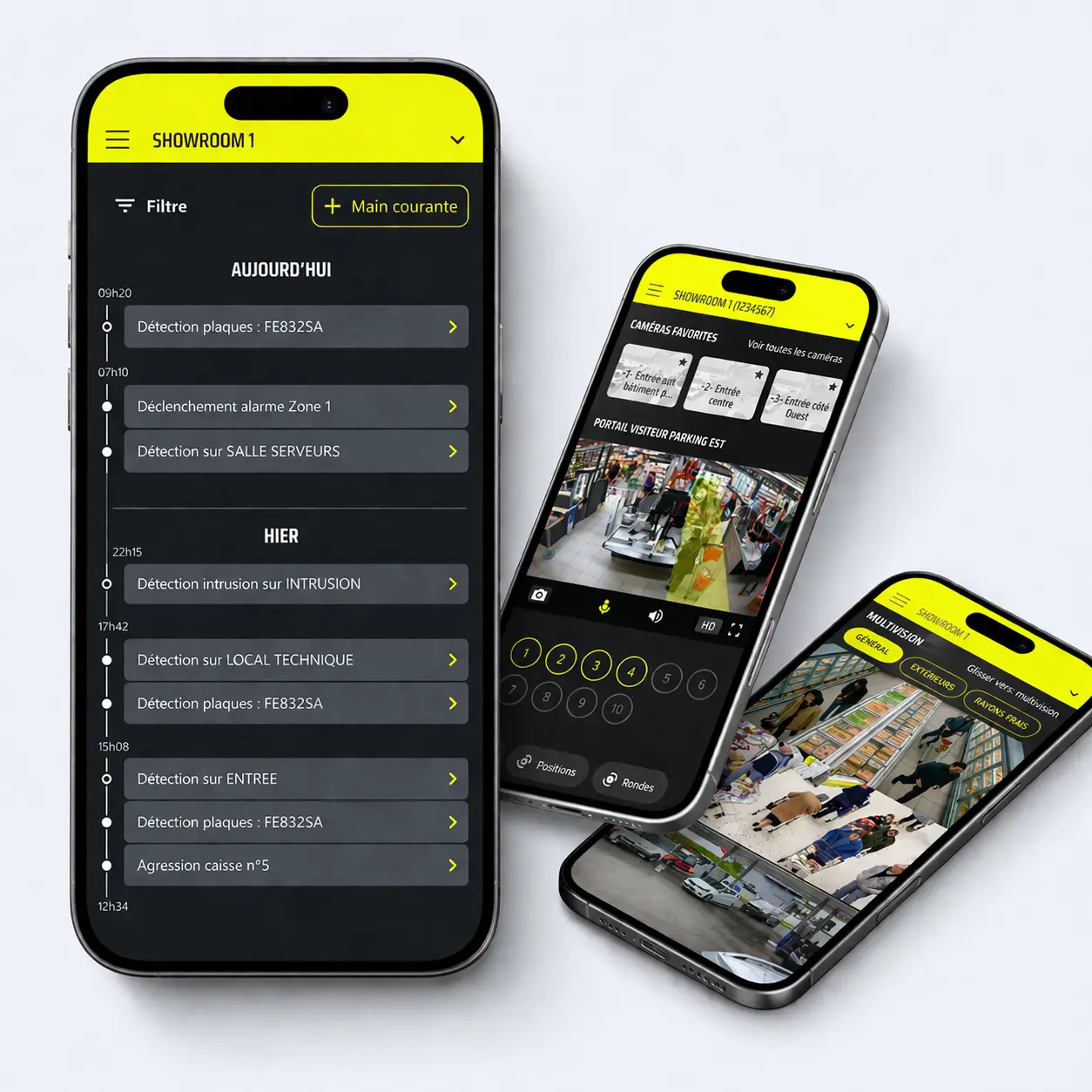
INNOVEO Experience is the remote application of the INNOVEO unified security platform. It lets an operator connect from a desktop, mobile or tablet to supervise several sites in one place: video surveillance footage, access control, intrusion detection, IoT sensors and activity indicators.
It does not replace INNOVEO: it is its mobile access. The platform centralises and processes, the application displays and lets you act — wherever you are.
How do you run several sites remotely?
Operating ten, fifty or two hundred sites always raises the same problem: the information exists, but it is scattered. One recorder per store, one piece of software per discipline, one contact per region. INNOVEO Experience answers that question in four steps.
You log in
A single set of credentials, from a browser or the mobile app. No software to install site by site.
You see the whole estate
Every site on one view, with its operating status and current events. The anomaly comes to you — you do not go looking for it.
You drill down
One click opens the site concerned: live or recorded footage, access logs, status of detectors and sensors.
You act
Verify an alarm, release a door, export a sequence, alert the local operator or the monitoring centre — all from the same interface.
Everything you control from a single workspace
Your sites, whatever their nature
- Stores and retail floor space
- Warehouses, logistics platforms and loading bays
- Offices and tertiary sites
- Industrial sites and technical areas
A mixed estate is managed from the same view: the application does not separate disciplines, it separates sites.
Your resources, whatever the system
- Video surveillance: live feeds, recordings, exports
- Access control: badges, doors, logs
- Intrusion detection: status, alarms, alarm verification
- IoT sensors: temperature, opening, technical alerts
- Managed services: estate status and interventions
See, Perceive, Foresee — applied to distance
The backbone of INNOVEO keeps the same meaning when you are far from your sites. It simply changes use.
See
Reach the footage of any site, live or in the archive, without going through the local recorder or calling a technician.
Perceive
Turn activity into readable indicators: footfall, flows, security events, estate status. Figures replace impressions.
Foresee
Spot what repeats — an area, a time slot, a site — and act before the incident becomes a loss.
INNOVEO straight in your pocket
On desktop
The full view, for analysis, exports and indicator tracking. The working screen of the security or operations manager.
On mobile
The essentials on the move: alert, alarm verification, quick check. What you look at between two meetings, or at night.
On tablet
The field compromise: readable while moving, wide enough to compare several cameras or several sites.
The interface is designed for an operator, not an installer: everyday functions are reachable without lengthy training, and the experience stays consistent across devices.
Three situations where remote access changes daily work
A retail network
Head office compares sites instead of waiting for reports. An anomaly in one store is handled the same day, without sending anyone on site.
A logistics operation
Loading bays, storage areas and truck access points are monitored from a single desk. If a delivery is disputed, the sequence is found and exported directly.
A multi-address office estate
Access and alarms across several buildings are managed without multiplying software or suppliers. One contact, one interface.
Where INNOVEO Experience sits within the platform
INNOVEO Experience belongs to the Advanced End-User Apps family: the applications built for whoever operates the estate, as opposed to those that process footage or data.
The INNOVEO platform collects, unifies and analyses what your security systems produce. Business Smart Apps — such as SuspectTracker, ZoneTracker or HeatTracker — use that material to answer one specific challenge. INNOVEO Experience puts you in control of the whole, remotely.
What the platform brings
- Hosting on French datacentres, operations run by ANAVEO teams across 18 agencies in France
- Hybrid Edge and Cloud architecture
- Native cybersecurity and GDPR compliance
- Unification of video, access, intrusion and IoT
Your questions about remote operation
Does software need to be installed on every site?
No. INNOVEO Experience connects to the INNOVEO platform, which already centralises your sites’ feeds. You reach the whole estate from a browser or the mobile app, with a single set of credentials, with no site-by-site installation.
Can sites of different types be managed from the same interface?
Yes. Stores, warehouses, offices and industrial sites are managed from the same view. The application organises information by site rather than by discipline, which makes a mixed estate manageable without switching tools.
Who can access what?
Rights are granted per user and per scope. A regional manager sees only their sites, a local operator only theirs, head office the whole estate. Access and viewing activity are logged.
Where are footage and data hosted?
On datacentres located in France, with operations run by ANAVEO teams across 18 agencies nationwide. Your video and security data never leaves French territory.
Does the application work with equipment already installed?
In most cases, yes. INNOVEO relies on standard market protocols and interfaces with an existing estate. A preliminary audit determines what is kept and what needs to evolve — the aim being to replace only what is necessary.
How does this differ from standard remote access to a recorder?
Standard remote access connects you to one device, site by site. INNOVEO Experience connects you to a platform that has already brought your sites and systems together: you do not change connection to change site, and you also get access control, intrusion, IoT and activity indicators.
Is training required to use it?
The interface is designed for an operator, not a technician. A short handover covers everyday use; ANAVEO provides training and adoption support during deployment.
How can I get a demonstration on my own estate?
By contacting an ANAVEO agency. The demonstration is built on a case close to your own operation — number of sites, systems in place, team organisation — so that you see the application under your real conditions.
See INNOVEO Experience on your own estate
Our teams walk you through the application using your sites, your systems and your organisation — not a generic demo.