
Measure the queue while it forms, not afterwards
Real-time monitoring of checkout queues from your existing cameras, with an alert at the only moment when something can still be done.
The customer who leaves without buying never complains
A long checkout queue puts people off buying. The basket is abandoned in an aisle, or put back down at the entrance. That loss shows up in no indicator at all: it leaves neither a receipt nor a complaint.
It leaves a trace elsewhere: a sense of disorganisation, and a hesitation about coming back. And on the operations side the problem is symmetrical — too many staff on the tills during quiet hours, not enough at the peak.
Measure the wait while it forms, not afterwards
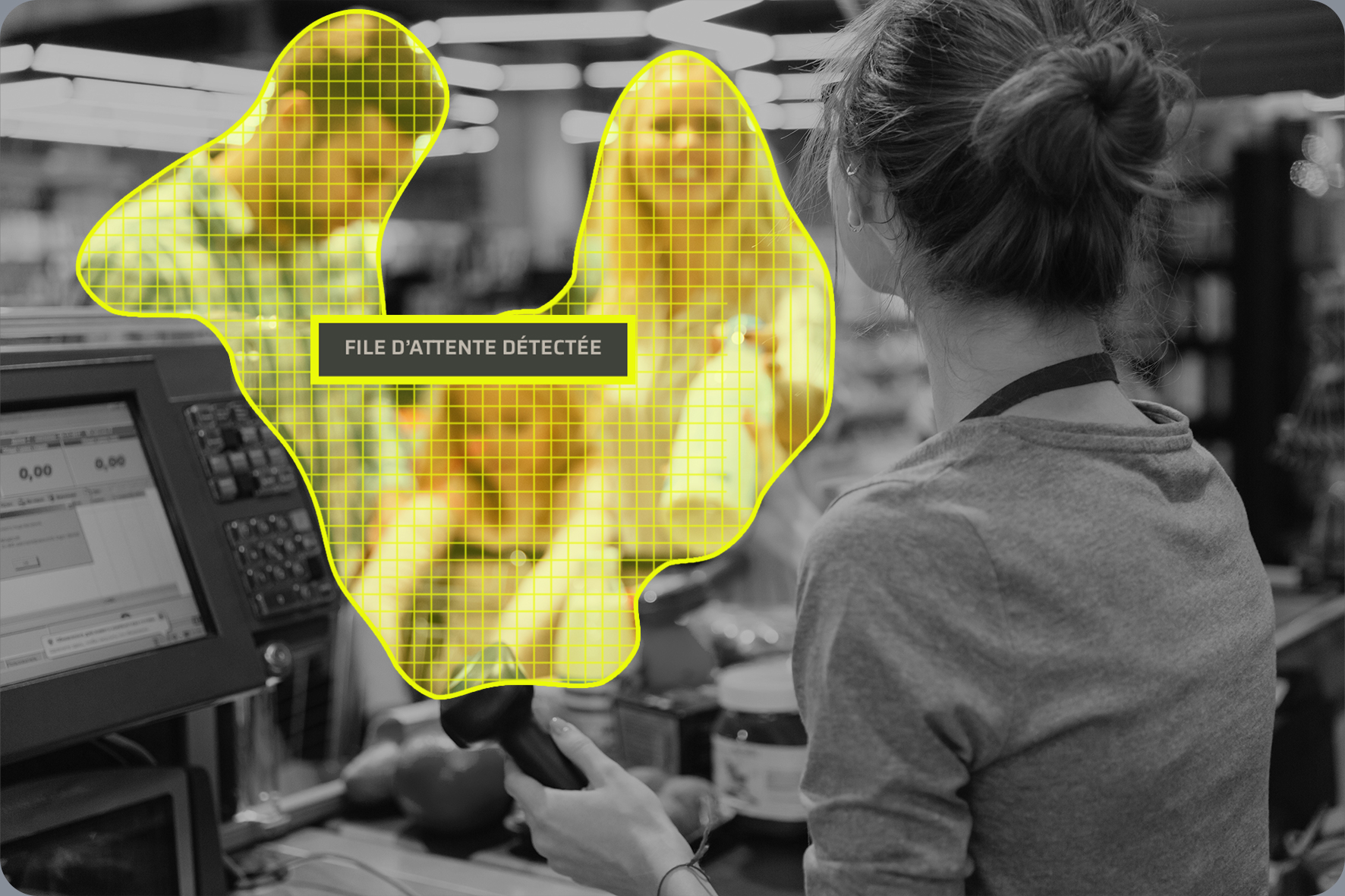
WaitQueueTracker monitors checkout queues in real time from your cameras and raises an alert while the queue is forming — the only moment when something can still be done about it.
The queue is measured continuously
The analysis runs on the cameras that already cover the checkout area. Nothing to install in front of the customer.
The alert goes out at the right moment
When a threshold you have set is crossed, the team is notified. A till opened three minutes earlier beats a report the next morning.
History feeds the staffing plan
Peaks repeat. Once measured, they become a basis for sizing teams rather than an impression.
See, Perceive, Foresee — applied to waiting time
See
Follow the state of every queue in real time, till by till.

Perceive
Access the history: when peaks happen, how long they last, and what the measures taken actually changed.

Foresee
Match staffing to the hours that are genuinely busy, rather than the ones assumed to be.
The moments when waiting costs a basket
Saturday and end-of-day peaks
The hours when the gap between planned staffing and real footfall costs the most.
Opening a till at the right time
Three minutes earlier is often enough to avoid the queue — provided you know it is forming.
Strongly seasonal periods
Holidays, back-to-school, promotions: the moments when traffic looks nothing like a typical week.
Self-checkouts
The bottleneck moves, it does not disappear. Measuring it where it actually is avoids optimising the wrong place.
Store networks
Compare sites on the same measurement, rather than on each manager’s impression.
Sizing teams
Move from a rota built on habit to a rota built on what has been measured.
They trust us
“We are very satisfied with all ANAVEO equipment, including video surveillance, intrusion detection and remote monitoring. The clarity and quality of the images are excellent, even at night. The sales and customer service teams are available and responsive.”
“As a client for over 10 years, I am extremely satisfied with having equipped my 8 Intermarché stores and 7 bakeries with ANAVEO’s video surveillance solutions. Your remote monitoring tool is practical, and the quality of your customer service sets you apart.”
 Sébastien PillardPresident, Intermarché (18)
Your questions about WaitQueueTracker
What exactly does WaitQueueTracker measure?
The state of checkout queues, in real time, from the cameras that already cover the area. It raises an alert when a threshold you have set is crossed.
Do I need to install extra hardware?
The analysis relies on your existing cameras. Which ones are suitable, and at what angle, is what an audit establishes.
Who receives the alert?
The team you designate, on the tool they already use. The point of an alert is that it reaches someone who can open a till.
Does it identify customers?
No. The measurement is about the queue, not about the people in it.
Can we tell whether the measures taken helped?
Yes. The history lets you compare periods and measure the effect of operational decisions, instead of assuming it.
Does it work with my current system?
WaitQueueTracker is part of the INNOVEO ecosystem and relies on your video management system. Compatibility is established during the audit.
The rest of the INNOVEO range
Find out what waiting really costs you
An audit starts from your checkout area, your busy hours and the cameras already installed — not from a catalogue.