
The surveillance and alert solution for intrusion detection
A virtual perimeter that detects a person entering an area you define, analyses the shape to keep false alarms down, and alerts the right person in real time.
An intrusion is detected too late, or not at all
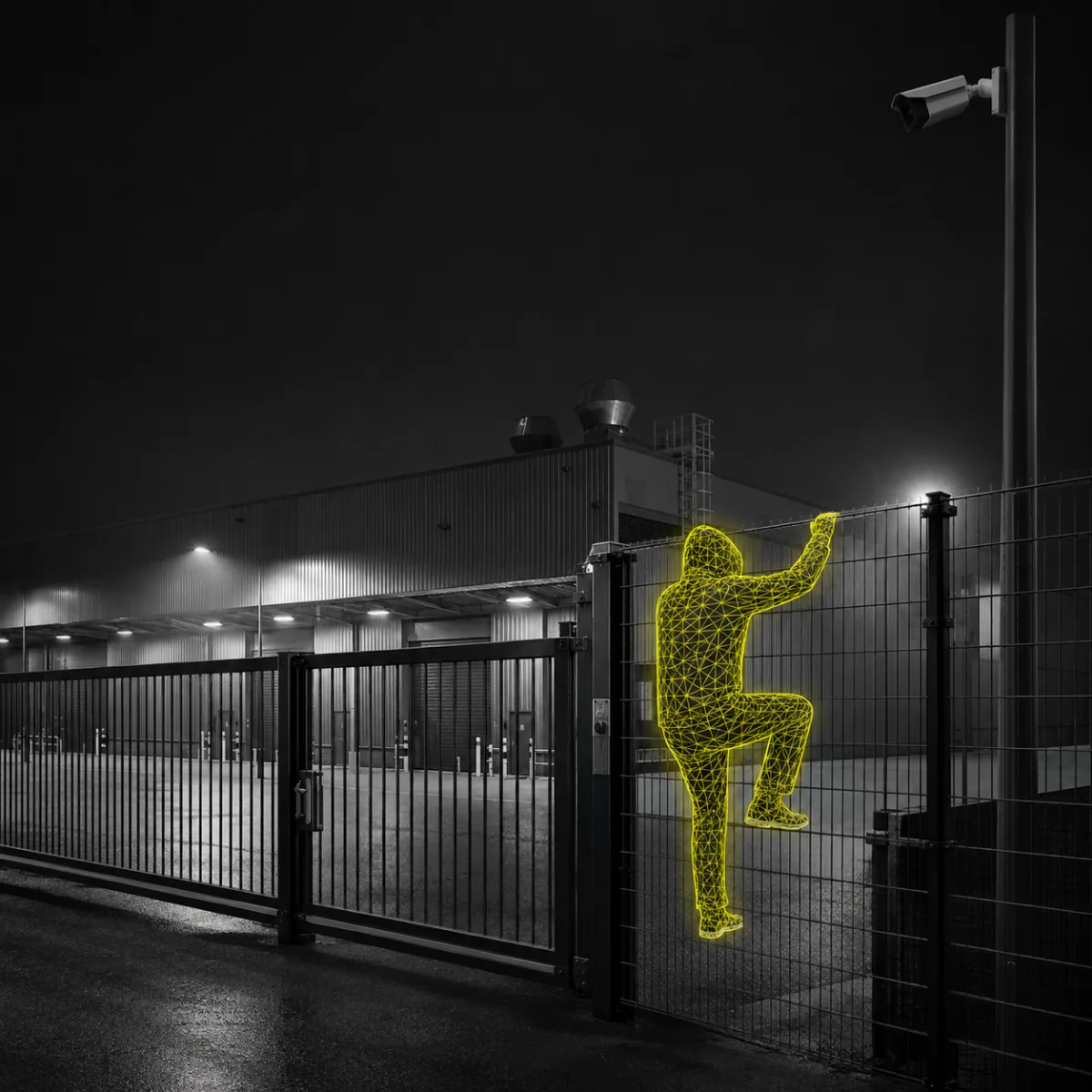
Break-ins, vandalism and assaults on staff are common, and the exposure changes with the premises: stores, warehouses, restaurants, pharmacies, offices. What they share is a blind window — the minutes between someone entering a sensitive area and anyone realising it.
Conventional video surveillance records that window. It rarely interrupts it. And a system that raises an alarm on every passing shadow gets muted within a fortnight — the false alarm is what kills detection, not the lack of cameras.
A virtual perimeter that tells a person from a passing car
ZoneTracker watches an area you define yourself on the camera image — a loading bay, a fence line, a stockroom door, a forecourt after closing. Anything entering that area is analysed in real time against the scenario you set.
You draw the zone
The detection area is set on the image, per camera and per time slot. A dock can be open all day and armed from 8 p.m.
The shape is analysed
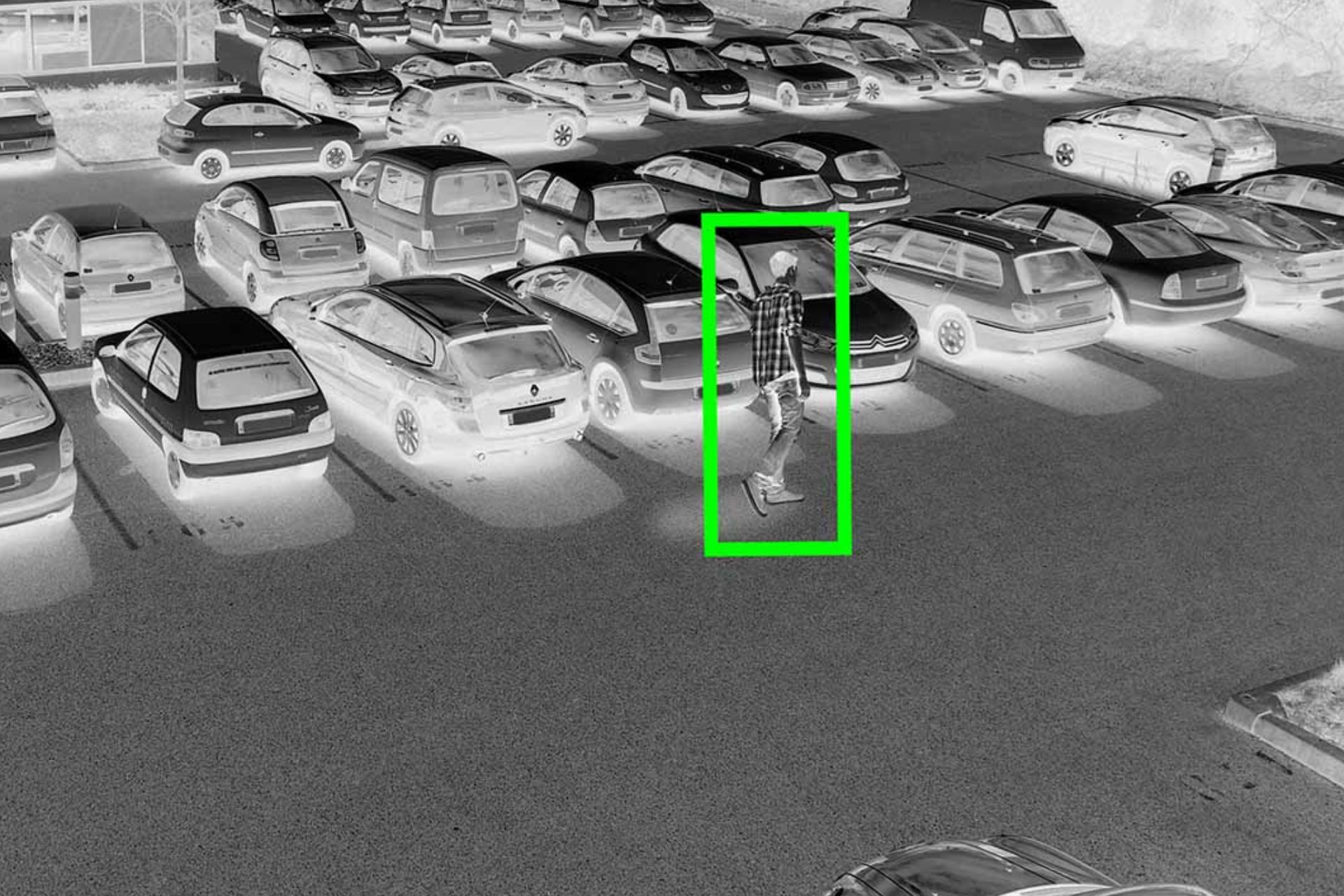
ZoneTracker analyses the detected shape to tell a human intrusion from an animal, a vehicle or a change of light. That analysis is what keeps false alarms down — and a system with few false alarms is one people still trust after six months.
The right person is alerted
The alarm goes to the site’s security desk, to a remote monitoring centre, or straight to a smartphone — from home or anywhere in the world, on one screen.
Detecting is half the job. The other half is what happens next
Detect and verify
When an alert fires, it reaches the site’s security desk so the officer on duty can see what is actually happening. Where there is no desk and no officer, the alert goes directly to a remote monitoring centre — verification is what separates a real intrusion from a wasted call-out.
Confirmed intrusion: speed decides
You are alerted in real time — but can you act on it at 3 a.m. on a Sunday? Every alert can also be forwarded to Anaveo Prevent, our monitoring centre certified APSAD P5, the highest level. An operator verifies the situation and triggers the agreed response.

See, Perceive, Foresee — applied to intrusion

See
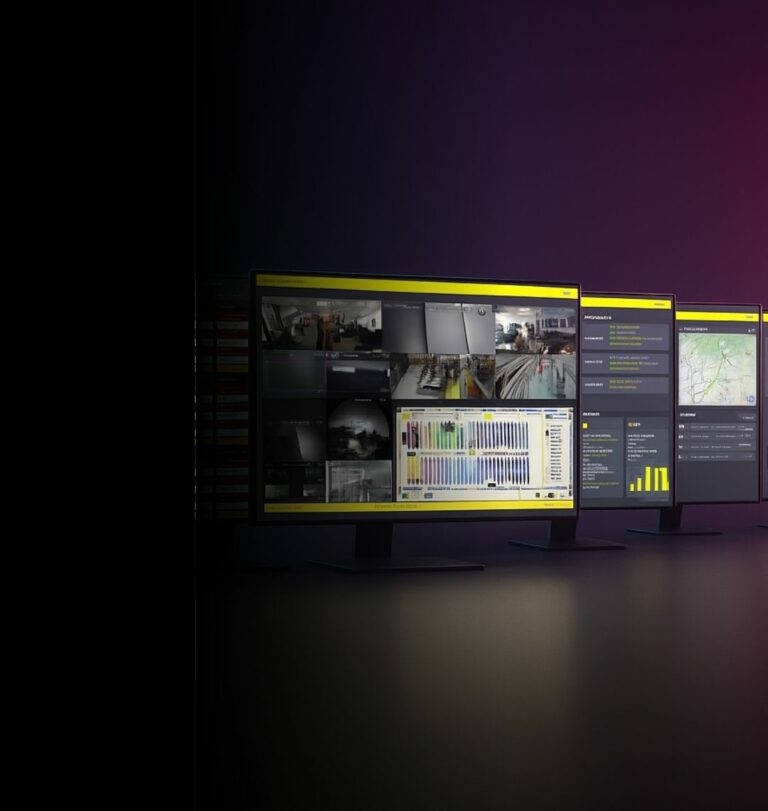
Watch in real time what ZoneTracker detects across your sites, with a continuous view of your premises.

Perceive
Reach the footage recorded before and after each alarm, and understand what actually happened rather than guessing from a timestamp.

Foresee
Read the patterns — which zones, which hours, which recurrences — and move from reacting to intrusions to preventing them.
ZoneTracker is not HeatTracker
The two Smart Apps look alike from the outside — a camera, an area, an alert. They answer two different risks, and picking the wrong one leaves the real exposure uncovered.
ZoneTracker — before the intrusion
Detects a human presence entering an area you have defined. Shape analysis, real-time alert, alarm verification. The risk is malicious: break-in, vandalism, an assault on staff.
HeatTracker — before the fire
Detects an abnormal rise in temperature through thermal imaging, before flames appear. The risk is accidental: an overheating machine, a battery, a waste storage area.
The areas that are worth watching before someone reaches them
Yards and loading bays
Open by day, exposed at night. The zone arms itself outside operating hours, without anyone having to remember to do it.
Fence lines and perimeters
Detection at the boundary rather than at the door — the response starts while there is still distance to work with.
Stockrooms and high-value areas
A restricted area inside a site that stays open: the zone flags entry into it without watching the whole floor.
Car parks and forecourts
Vehicle movement is constant; what matters is a person on foot where no one should be walking.
Technical and plant rooms
Rarely visited, rarely watched, and costly to lose. Detection tells you about a visit you did not schedule.
Sites without a security desk
No officer on site is not a reason to go without detection — the alert routes to a monitoring centre or to a phone.
They trust us
“We are very satisfied with all ANAVEO equipment, including video surveillance, intrusion detection and remote monitoring. The clarity and quality of the images are excellent, even at night. The sales and customer service teams are available and responsive.”
“As a client for over 10 years, I am extremely satisfied with having equipped my 8 Intermarché stores and 7 bakeries with ANAVEO’s video surveillance solutions. Your remote monitoring tool is practical, and the quality of your customer service sets you apart.”
 Sébastien PillardPresident, Intermarché (18)
Your questions about ZoneTracker
What exactly does ZoneTracker detect?
A human presence entering an area you have defined on the camera image. The detected shape is analysed so that an animal, a vehicle or a change of light does not trigger an alarm — which is what keeps the system credible over time.
Can I set different zones for different times of day?
Yes. Detection is configured per camera and per time slot: a loading bay can stay open during operating hours and arm itself in the evening, with no manual action.
Where does the alert go?
To the site’s security desk, to a remote monitoring centre, or directly to a smartphone. Sites without an officer on duty are the ones that gain the most from routing alerts to a monitoring centre.
What happens once an intrusion is confirmed?
The alert can be forwarded to Anaveo Prevent, our monitoring centre certified APSAD P5. An operator verifies the situation on video and triggers the response agreed with you.
Is ZoneTracker the same as HeatTracker?
No. ZoneTracker detects a human intrusion into a defined area. HeatTracker detects an abnormal rise in temperature through thermal imaging, before a fire starts. They cover two different risks and are often deployed side by side.
How is a deployment prepared?
The audit starts from your premises, your operating hours and the cameras already in place, and determines the areas where detection brings the most.
The rest of the INNOVEO range
Find out whether your sites need ZoneTracker
An audit starts with your premises, your operating hours and the cameras already in place — not with a catalogue. It tells you which areas are worth watching, and which are already covered.