Smooth camera-to-camera navigation across your site
Click the direction a person is heading and the view follows — no camera numbers to remember, and virtual patrols that run your sensitive areas at any hour.

Following someone across a site means knowing your camera numbers by heart
On a system with forty cameras, following a person from the entrance to the stockroom means guessing which camera comes next — and losing them while you look for it.
The footage exists. What is missing is the ability to move through it at the speed of the event, by someone who does not spend their week in the interface.

Click where they went, not which camera it is
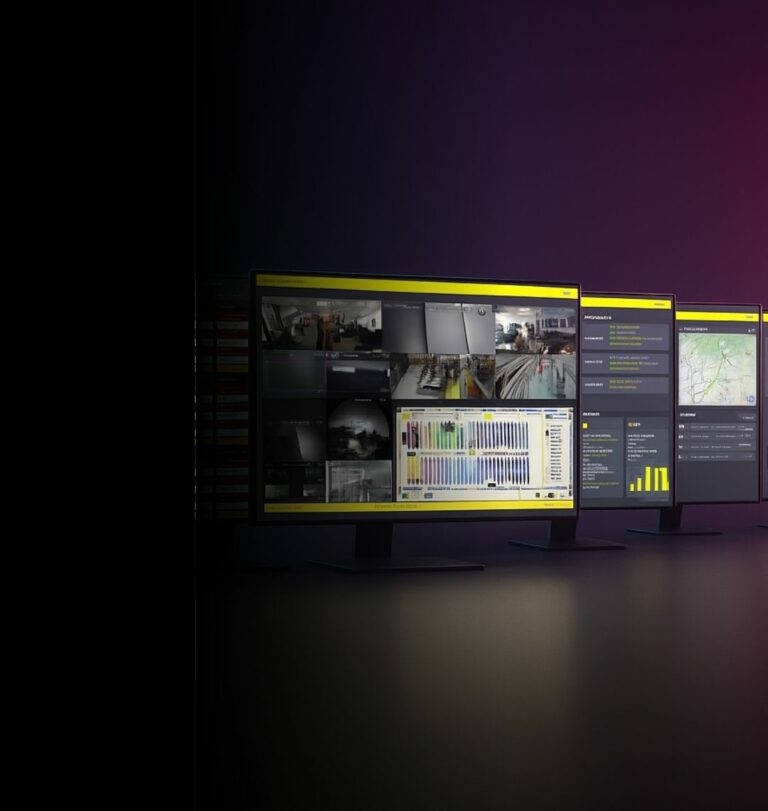
CamGuide places clickable areas on the image that correspond to the neighbouring cameras. You follow the movement by clicking where the person is heading, and the view switches for you.
The site is mapped once
Each camera is linked to the areas it overlaps with, so the system knows what comes next in every direction.
You follow the movement
Click the direction rather than remembering a number. Anyone can do it, not only whoever configured the system.
Virtual patrols run the route
A predetermined route can be played back at any hour — continuous cover of sensitive areas without an officer walking them.
See, Perceive, Foresee — applied to navigation
See
Move from camera to camera by direction, and keep the thread of what is happening.

Perceive
Reconstruct a path across a site without knowing its wiring — the evidence is assembled instead of hunted.

Foresee
Run virtual patrols on the areas that matter, at the hours that matter, rather than after the fact.
Sites too large to hold in one head
Large-format stores
Where a path from the entrance to the reserve crosses a dozen fields of view.
Warehouses
Long aisles, repetitive views, and camera numbers that mean nothing to anyone but the installer.
Hotels and hospitals
Corridors that look alike, and staff who need the footage without a week of training.
Sites without a security officer
Virtual patrols cover the sensitive areas at the hours no one is walking them.
Incident handling
In an emergency, the time spent finding the right camera is the time not spent responding.
Occasional users
The manager who opens the system four times a year should not need to relearn it each time.
They trust us
“We are very satisfied with all ANAVEO equipment, including video surveillance, intrusion detection and remote monitoring. The clarity and quality of the images are excellent, even at night. The sales and customer service teams are available and responsive.”
“As a client for over 10 years, I am extremely satisfied with having equipped my 8 Intermarché stores and 7 bakeries with ANAVEO’s video surveillance solutions. Your remote monitoring tool is practical, and the quality of your customer service sets you apart.”
 Sébastien PillardPresident, Intermarché (18)
Your questions about CamGuide
What problem does CamGuide solve?
Moving between cameras without knowing their numbers. You click the direction the person is heading and the view follows, instead of guessing which camera comes next.
What is a virtual patrol?
A predetermined route through your cameras that can be played at any hour — continuous cover of sensitive areas without an officer walking them.
What do virtual patrols change for the team?
They take on the routine rounds, so your people stay available for what actually requires someone on site.
How much configuration does it need?
The site is mapped once: each camera is linked to the areas it overlaps with. After that, navigation needs no knowledge of the installation.
Who can use it?
Anyone who has to open the system occasionally — a store manager, a duty officer — not only whoever configured it.
Which cameras is CamGuide set up on?
On the cameras that cover the routes people actually take through your site. The audit selects them with you, so navigation follows real paths rather than the order of the wiring.
How does it relate to SmartOverview?
CamGuide gives you the movement — you click on the image in the direction someone is heading. SmartOverview gives you the geography — an interactive 3D plan of the site with your cameras on it. The two interact, and sites often use both.
The rest of the INNOVEO range
Find out how fast your team can follow an incident today
An audit starts with your site, its cameras and who actually opens the system — not with a catalogue.